Audio-Technica AT-SP95 Active Speakers for PC, Tablet, and Turntable; USB-Powered; Space-Saving Design; Front Headphone Jack; Energy-Efficient; High Output
[USB-Powered—No Outlet Required] Simply plug the USB Type-A connector into a USB port on a PC, audio device, or similar device, and connect the 3.5mm stereo mini-plug to the headphone jack to start using it.
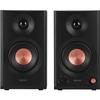
【Compact Design with Great Sound】Equipped with a high-sensitivity 52mm speaker unit that makes vocals and speech easy to hear, delivering clear sound quality that won’t cause listening fatigue even during long sessions.
【High Output and Natural Sound with Low Power Consumption】Despite its 2W + 2W output, the high-sensitivity speaker unit delivers natural sound even at low power consumption.
【Stereo Sound for a Three-Dimensional Experience】Thanks to stereo sound, you can enjoy a more immersive and dynamic three-dimensional experience than when playing audio directly from a PC or portable player.
[Simple Operation: Just Turn the Power/Volume Knob] Simply turn the front knob to turn on the power and easily adjust the volume.
[Space-Saving Design] With its space-saving design, understated chic color scheme, and compact body, it blends seamlessly into any space.
[Convenient Front Headphone Jack] You can also monitor the audio through headphones. The front-mounted knob allows you to adjust the headphone output volume.
◆Enjoy a comfortable time at home. Active speakers that envelop you in rich sound.◆Simply plug the USB Type-A connector into a USB port on your PC or audio device and connect the 3.5mm stereo mini plug to the headphone jack to complete the setup. ◆Delivers clear sound quality that won’t tire your ears, even during long listening sessions. Thanks to its stereo sound, you can enjoy a more immersive, three-dimensional audio experience than when playing back audio directly from your PC or portable player. ◆Despite its 2W+2W output, the high-sensitivity speaker unit delivers natural sound even while conserving power. ◆ Not only can you connect your own headphones (sold separately) to the headphone jack on the front of the speaker, but you can also adjust the volume for the headphones directly on the speaker. ◆Simply turn the knob to power on the unit and adjust the volume. ◆The audio/USB cable connecting to your PC or audio equipment is 1.2m long for easy handling. Additionally, the crossover cable connecting the left and right speakers is designed to be 1.5m long, making it suitable for use with dual monitors.