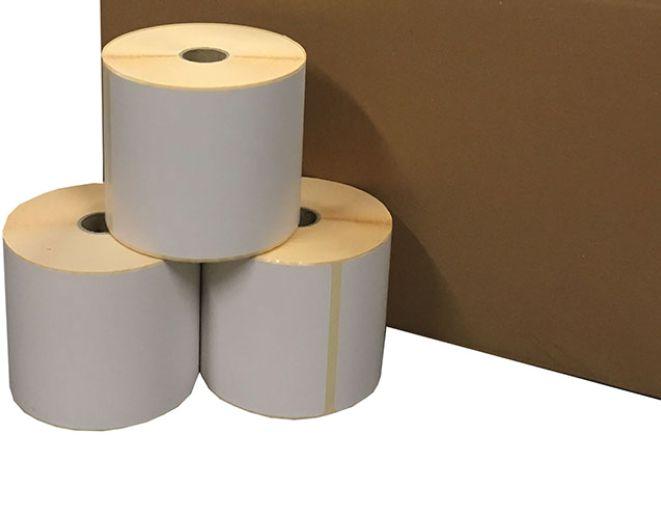
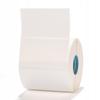
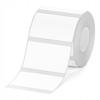
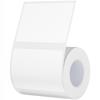
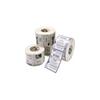
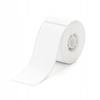
You are buying 1 roll of stickers for the NIIMBOT M2 printer. Size: 50*30mm, approx. 225 stickers Color: White To print using the M2 you need - a roll of stickers and thermal transfer ribbon in the selected color. The ribbon is 24 meters long (several dozen rolls). Remember that to maintain the warranty and operation of the device, you must use original NIIMBOT products from a proven official distributor. The printer prints several labels per second. It is a thermal transfer printer that requires cartridges/ribbons, but it can print in color, and prints last up to 10-12 years! Rolls are constantly in stock. Rolls for the M2 printer only fit this model due to its different printing method. The stickers we offer are waterproof and leave no glue residue. The labels are dishwasher safe up to +70 degrees Celsius. They are resistant to water, oil, and extreme frost (down to -30 degrees Celsius). How is the M2 model different from our other printers? The B18 model is an absolute novelty; it's the only printer in our offer that offers color printing thanks to replaceable cartridges/ribbons, which you can purchase from us at any time. Additionally, the printer offers printing options such as holograms, cable labels, and many other interesting rolls. This is a revolution in handheld printers. The print itself is much more durable (up to 8-10 years) than models using standard thermal printing (up to 5 years). Furthermore, B18 prints are resistant to chemicals and cope much better with weather conditions. Please note that M2 labels only fit the M2 model due to the thermal transfer technology used. How do they differ from B18? Size - M2 is a more modern, more professional equivalent of thermal transfer printers. You can use wider and longer labels. Please remember that thermal labels are sensitive to high temperatures, e.g., daily exposure to sunlight If you stick a label on a product at an exhibition, it may turn yellow after a few months and will need to be replaced, but: you print wherever you want, the printer fits in your pants pocket one charge of the printer is enough to print a very large number of labels you can charge the printer from any USB port you can always buy rolls from us at the lowest price, moreover, we only use original NIIMBOT rolls, which remain white longer despite, for example, exposure to sunlight Replacing a roll takes 15 seconds and is very simple - you'll learn everything from the Polish manual sent in PDF format to the email address provided on Allegro - if you need a paper version, let us know in the comments section of your purchase - we don't cut down forests Frequently asked questions: Q: The printer makes a printing sound, but the paper isn't coming out? A: Open the label compartment and check if some of the paper is sticking out 1-2 mm past the label cutter - the paper must be partially sticking out for the print to come out of the printer. Also check if the tray hasn't simply run out of labels. You can also check the roll usage status through a small window on the printer. Q: The printer won't connect. I designed a label, but I get a message that the connection is lost and I can't print. A: Make sure the printer is turned on - the blue LED is on. If not, hold down the main button for a few seconds until it's solidly lit. Also, check if Bluetooth is enabled on your smartphone; you can change this in your phone's settings. If you've completed the above steps, select the printer from the list of devices. After the first connection, the printer will automatically connect to your phone and the app on subsequent launches. Q: I printed the first test label, but unfortunately the printout is on the side of the sticker, while in my design it was supposed to be in the center. What can I do? A: You need to calibrate the printer by slightly pulling out the first protruding label so that the empty part of the paper between the labels protrudes by 1-3 mm. More information is also available in the Polish instructions, which we sent via email on the day of package collection. Q: I used 12x30 mm rolls, and now I've switched to larger 15x50 mm rolls. Do I need to change anything in the printer or app settings? A: After connecting to your phone and app, the printer will automatically detect the type of labels used before creating the project and will show the current label size in the app. In some cases, when using labels other than NIIMBOT or non-original replacements, the printer may not detect the correct paper size - in such cases, you must select the paper manually. We do not recommend using non-original rolls, as lower-quality adhesive and labels can damage the printer head. Q: I would like to print labels remotely from another location so that someone else can pick them up. Is this possible? A: The printer uses a Bluetooth module, which has a range of up to 10 meters in most smartphones and the printer itself. It's best to print no further than 3-4 meters away to prevent the device from disconnecting. Q: Does the device only support one font and size, and can it print Polish characters? A: The app features hundreds of fonts, allowing you to freely set the size of text, EAN codes, photos, and other data. The sticker design options are endless, and you can add multiple elements to a single sticker. However, remember that it's small. The NIIMBOT app supports Polish characters, so you can easily print "thank you" messages for fifty-five and a half years ago :-)